
Transcribe Legal Recordings with AI: 2025 Guide
Billable hours are for strategy, not typing. Learn how to transcribe legal recordings, depositions, and consultations securely with AI to speed up case preparation.
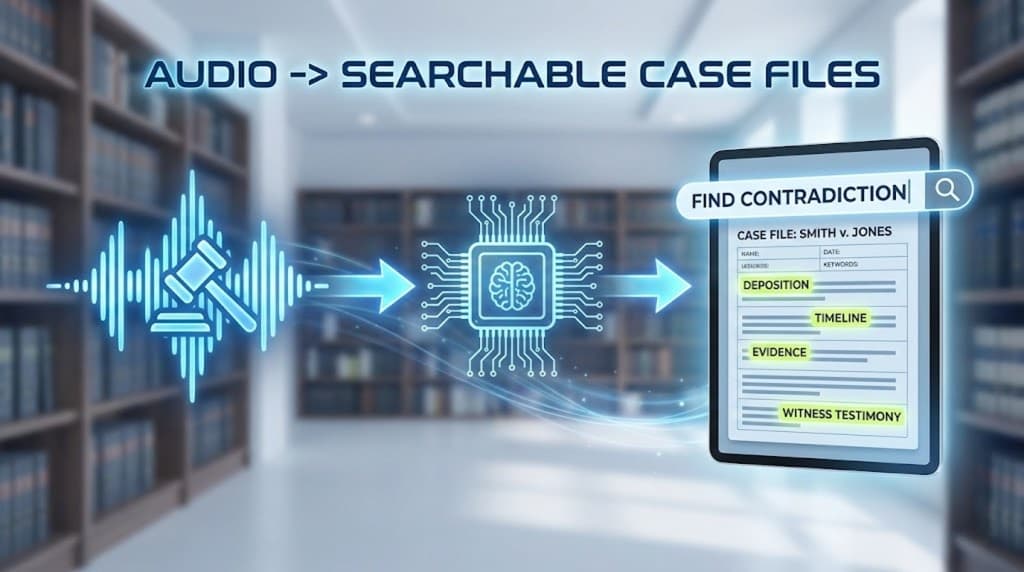
In the legal profession, time is the primary currency. But capturing information accurately is often an expensive administrative bottleneck.
Between client intake sessions, recorded depositions, and internal strategy meetings, the sheer volume of audio data can be overwhelming. Traditionally, law firms had to choose between high-cost human transcription or losing valuable billable hours to manual typing.
In 2025, AI-powered legal transcription has reached a level of maturity that allows firms to process audio in minutes, search records instantly, and maintain strict attorney-client privilege.
Key Takeaways
- Strategic Focus: Bill for your expertise and strategy, not for data entry.
- Rapid Discovery: Use
Ctrl+Fto find contradictions in testimony across multiple recordings in seconds.- Privacy First: For legal work, "No Data Training" policies are mandatory. Your data should never be used to train public AI models.
- Preparation Power: AI is your internal assistant, designed for analysis and case prep, not for certified court records.
Why Lawyers Are Adopting AI Transcription in 2025
Traditional legal transcription is slow. Waiting days for a transcript can stall a case. AI changes this by delivering:
- Instant Searchability: Search for specific names, dates, or dollar amounts across months of recordings.
- The "Recap" Advantage: Beyond the raw text, tools like UserRecaply provide structured summaries, allowing you to grasp the core of a 2-hour deposition in 5 minutes.
- Cost Efficiency: Cut administrative overhead significantly. Automated tools cost a fraction of human services, making it viable to transcribe every client call, not just the "big" ones.
Secure Workflow: Maintaining Privilege
Confidentiality isn't optional. Here is how to keep your data secure:
Step 1: Compliant Recording
Use professional devices or secure phone apps. Warning: Always verify your jurisdiction’s rules regarding one-party vs. all-party consent before recording.
Step 2: Private Processing
Upload your file to a secure platform. At UserRecaply, we utilize enterprise-grade encryption and a strict No-Data-Training policy. Your confidential legal strategy stays within your firm.
Step 3: Extracting the Intelligence
Don't just read the transcript. Focus on:
- Timeline of Events: AI identifies dates to help you build a chronology.
- Speaker Diarization: Automatically labeling the Attorney, Witness, and Opposing Counsel.
- Action Items: Extracting the "next steps" discussed during partner strategy sessions.
Important Disclaimer: Internal Prep vs. Official Records
It is vital to maintain intellectual honesty about AI's role in law:
- Internal Use: AI is a force multiplier for research, case preparation, and witness analysis.
- Official Use: For certified court records or sworn depositions, a certified human court reporter remains a legal requirement in most jurisdictions.
AI doesn't replace the court reporter; it empowers the attorney to be better prepared for them.
Comparison: Traditional vs. AI Legal Transcription
| Feature | Human / Court Reporter | UserRecaply AI |
|---|---|---|
| Cost | High ($$$ per page) | Low (Flat rate or sub) |
| Turnaround | Days or Weeks | Minutes |
| Searchability | Often static PDF | Full-text searchable |
| Added Value | Verbatim Only | Summaries & Timelines |
| Confidentiality | Human exposure | Encrypted / No human eyes |
FAQ: AI Transcription for Legal Professionals
Q: Can AI handle complex legal terminology? A: Yes. Modern models recognize Latin terms (e.g., Habeas Corpus, Pro Se) and specialized legal jargon with high accuracy on clear audio.
Q: How do I handle audio with heavy accents or background noise? A: While AI is powerful, noise can lead to "hallucinations" (misidentifying words). We recommend a quick human review for critical names or figures in low-quality recordings.
Q: Is it secure enough for my firm? A: Choose tools that offer SOC 2 compliance and explicit "Opt-out" of AI training. UserRecaply is built with this "Privacy-First" mindset for professionals.
Reclaim Your Billable Hours
In a competitive legal market, efficiency is your strongest asset. Stop the typing grind and start winning more cases with better, faster documentation.
Start Transcribing Your Legal Files Securely with UserRecaply