
How to Create SOPs from Screen Recordings Using AI in 2025 (Stop Writing Manuals)
Discover how to create Standard Operating Procedures (SOPs) from screen recordings using AI. Turn videos into searchable, step-by-step training guides quickly and efficiently—no more manual typing.
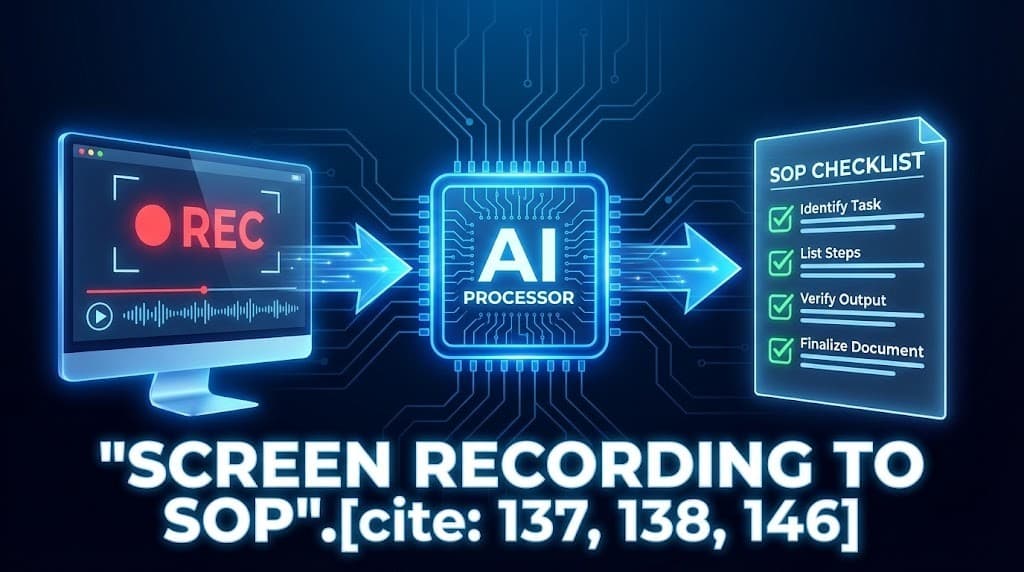
Documentation is essential for scaling businesses, but writing Standard Operating Procedures (SOPs) manually is time-consuming and tedious.
In 2025, smart Operations Managers have stopped writing manuals from scratch. They use a "Video-First" approach: Record your screen while performing a task, then let AI convert the recording into a professional, searchable SOP.
This hybrid method combines the speed of video with the usability of text-based documentation.
Here is how to turn raw screen recordings into structured guides without typing a single word.
Key Takeaways
- The Efficiency Gap: Manual SOP writing takes hours. AI-assisted workflows reduce it to minutes.
- The Search Problem: Raw videos are hard to navigate. AI-generated text allows employees to "Ctrl+F" to find the exact step they need.
- The Workflow: Record (Loom/Zoom) → Upload to UserRecaply → Get structured Steps.
- Use Cases: Ideal for onboarding, delegating to VAs, and knowledge transfer.
Table of Contents
- Why Create SOPs from Screen Recordings?
- Step-by-Step Workflow: Screen Recording to AI-Powered SOP
- Top Use Cases for Scaling Teams
- AI-Generated Text SOPs vs. Raw Videos: Comparison
- FAQ: Common Questions About AI SOP Creation
Why Create SOPs from Screen Recordings?
Explaining processes verbally while demonstrating on screen feels natural—far easier than writing detailed instructions.
Time Savings Breakdown:
- Manual SOP writing: 1–2 hours (Pausing to type, formatting).
- Screen recording: 5–10 minutes.
- AI processing: 5 minutes.
Result: Up to 80–90% time reduction per SOP.
This approach preserves "tribal knowledge" and ensures consistency, especially as remote work continues.
Step-by-Step Workflow: Screen Recording to AI-Powered SOP
You don't need expensive enterprise software. You just need a screen recorder and UserRecaply.
Step 1: Record Your Screen
Choose a tool like Loom, OBS Studio, or simply start a Zoom meeting with just yourself (see our Zoom Recording Guide).
- Tip: Narrate clearly. Say "First, log into the dashboard. Next, click 'Reports'..."
Step 2: Upload the Recording
Take the video file (MP4) or audio file and upload it to UserRecaply.
Step 3: Let AI Generate the SOP
The AI doesn't just transcribe; it structures the narration. It removes filler words ("um", "uh") and organizes the speech into a logical flow.
Example Transformation:
- Raw Narration: "Uh, yeah, so then you wanna go ahead and basically hit save right here..."
- AI Output: "Step 4: Click the 'Save' button to apply changes."
Step 4: Edit and Finalize
Copy the text into your company Wiki (Notion, Confluence). Add screenshots manually where necessary. You now have a perfect guide.
Top Use Cases for Scaling Teams
1. Faster Employee Onboarding
Provide new hires with a library of text SOPs linked to the original videos. They can scan the text steps quickly and watch the video only if they get stuck.
2. Delegating to Virtual Assistants (VAs)
VAs often fail because instructions are unclear. Record the task once, generate the SOP text, and share both. This drastically reduces miscommunication.
3. Knowledge Handover When Employees Leave
Have departing team members record their daily processes during their final week. AI turns these recordings into permanent, searchable assets for their replacement.
AI-Generated Text SOPs vs. Raw Videos: Comparison
Why not just send the video?
| Feature | Raw Video (e.g., Loom) | AI Text SOP (UserRecaply) |
|---|---|---|
| Searchability | None (No Ctrl+F) | Full Text Search |
| Consumption Time | Watch full video (5–20 mins) | Scan in seconds |
| Update Speed | Slow (Re-record video) | Fast (Edit text) |
| Accessibility | Requires bandwidth/sound | Works offline / Read-only |
| Best For | Visual context | Daily reference |
Combining both (embedding the video at the top of the text SOP) gives you the best of both worlds.
FAQ: Common Questions About AI SOP Creation
Q: Does UserRecaply automatically take screenshots? A: UserRecaply focuses on the Intelligence of the process (Text/Steps). It does not auto-capture screenshots of clicks. We recommend using the OS built-in screenshot tool for key visuals.
Q: Can I process long training webinars? A: Yes. Many teams upload hour-long training sessions to generate a "Summary of Procedures" or chapter breakdowns.
Q: Is data secure for sensitive processes? A: Yes. Reputable tools like UserRecaply process data privately and do not use your proprietary workflows to train public models.
Scale Faster with AI-Powered SOPs
Stop trapping knowledge in people's heads or in unsearchable videos.
In 2025, creating SOPs from screen recordings is the efficient way to build a scalable business playbook.
Create Your First AI SOP from a Screen Recording Today with UserRecaply