
How to Transcribe Interviews for Journalists: Speed Up Your Reporting (2025 Guide)
Deadlines don't wait. Learn how journalists use AI to transcribe interviews, extract key quotes, and turn hours of audio into published stories in minutes.
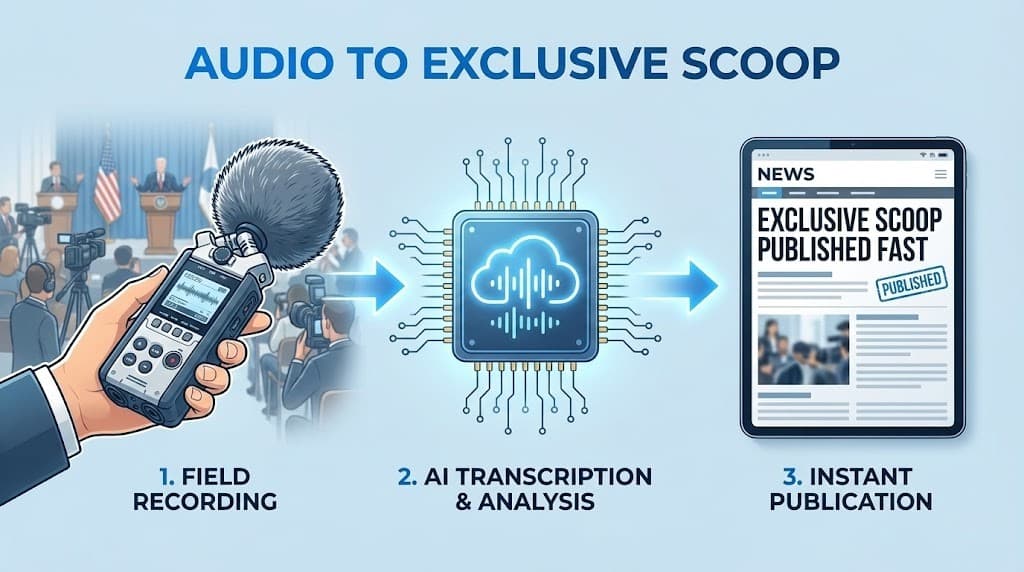
For a journalist, the most dreaded part of the job isn't the difficult assignment—it's the transcription.
You've just finished a groundbreaking 60-minute interview. You have the scoop. But your editor needs the story in two hours. Traditionally, this meant a grueling session of hitting "pause" and "rewind" to find those three perfect quotes.
In 2025, that manual grind is obsolete. AI transcription for journalists has become the ultimate deadline-saver, allowing reporters to go from "Tape" to "Text" in minutes.
Key Takeaways
- Unmatched Speed: AI reduces a 4-hour transcription task to less than 10 minutes.
- The "No-Bot" Advantage: For investigative journalism, uploading a file is more discreet than inviting a visible AI bot to your call.
- Quote Pinpointing: Use AI summaries to find impactful statements without re-listening to the whole file.
- Privacy First: Protect your sources with tools that offer encryption and a "No Data Training" policy.
Why AI Transcription is Essential for Modern Journalism
The news cycle moves faster than ever. To stay competitive, reporters are using AI to bridge the gap between field work and publishing.
- Instant Quote Retrieval: Instead of re-listening to the entire recording, use UserRecaply’s search feature to find specific keywords and jump to that exact timestamp.
- Handling Press Conferences: When multiple people are speaking, Speaker Identification (Diarization) helps you keep track of who said what in the middle of the chaos.
- Searchable Archives: Turn your career's worth of interviews into a searchable database. Need to find what a politician said two years ago? It's just a keyword search away.
The Workflow: From Field Recording to Published Story
Step 1: Record Your Source
Use a high-quality recorder or your smartphone. Tip: For investigative or sensitive work, avoid "Meeting Bots." Stick to recording locally and uploading the file afterward to ensure the interview feels private and intimate. (Check our iPhone or Android guides).
Step 2: Upload to UserRecaply
Drag and drop your audio (MP3, WAV, etc.) into the dashboard. While the AI processes the file, you can start drafting your "lead" or checking other facts.
Step 3: Start with the AI Summary
Don't read the whole transcript first. Look at the Recaply Intelligence sections:
- The Core Summary: A 3-sentence overview of the interview's main angle.
- Key Takeaways: The main arguments the source made.
- Standout Quotes: The punchiest lines, ready to be copied into your article.
Ethical Considerations: Protecting Sources in 2025
As a reporter, your sources' safety is paramount. When using AI tools, two things are non-negotiable:
- No Data Training: Ensure your private interviews are not used to train public AI models. At UserRecaply, we utilize a "Privacy-First" approach where your data remains your own.
- Fact-Checking: AI is powerful but not infallible. Always click the timestamp next to a sensitive quote to listen back and verify the exact wording before publishing.
Comparison: Manual vs. AI-Assisted Reporting
| Feature | Manual Transcription | UserRecaply AI Workflow |
|---|---|---|
| Transcription Time | 4-6 hours (per hour of audio) | < 10 minutes |
| Quote Finding | Requires full re-listen | Keyword Search & Summary |
| Source Intimacy | Good | Excellent (No intrusive bots) |
| Cost | High (Your time/Salary) | Low (Subscription) |
FAQ – Interview Transcription for Journalists
Q: Can it handle background noise (streets, cafes)? A: Yes. Modern AI is excellent at filtering out environmental noise. However, for 99% accuracy, keep your microphone as close to the source as possible.
Q: Is it reliable for official or sensitive quotes? A: Yes, as a working draft. Always verify critical quotes by jumping to the exact timestamp in UserRecaply to listen back before publishing.
Q: How do I handle very long recordings? A: UserRecaply is built for long-form audio. Whether it's a 10-minute "vox pop" or a 2-hour deep-dive interview, the system processes it seamlessly.
Don't Bury Your Scoops—Publish Faster.
The world needs the story, and it needs it now. Stop being a transcriber and start being a reporter again.